


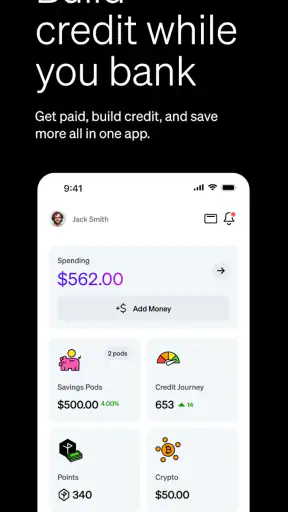
Starting with a new banking app can feel more intimidating than downloading an ordinary budgeting tool. You are trusting it with money, identity checks, and everyday decisions, so the first useful question is not whether it looks modern, but whether it helps you complete a real task without confusion. I spent time with Current, a free finance app from Current, and found that its main appeal is straightforward: it brings everyday money management and early-pay access into one mobile experience. Its store message focuses on getting paid early and building credit, but the practical value depends on how well those ideas fit your income, spending habits, and expectations.
Current is aimed at people who want a mobile-first alternative to traditional banking, especially users who prefer checking balances, organizing spending, and handling routine money tasks from a phone. It is rated for Everyone, runs on Android from version 8.0 onward, and has grown to more than five million installs. That level of adoption makes it easier to take seriously than an obscure finance app, while the average rating of 4.4 from roughly 179,000 ratings suggests that many users find it useful in daily life.
What to expect before you move your money
The first thing I would tell a new user is to treat Current as a practical banking companion rather than a magic solution to cash-flow problems. The “get paid early” idea can be attractive when a bill arrives before payday, but early access is meaningful only when your income and employer arrangements support it. Likewise, the “build credit” message should not be read as an instant repair service for a damaged credit history. Credit-related tools are most useful when they are part of a steady routine: spending within limits, paying attention to timing, and avoiding the assumption that an app can replace responsible money management.
The app sits between a conventional bank account and a focused financial tool. A traditional bank may offer a wider range of products, in-person support, and a longer-established relationship. A budgeting app may provide deeper planning charts without trying to act as your main financial hub. Current is more convenient when you want common money tasks close together and prefer doing them on a phone. It is less compelling if you need complex household accounting, detailed investment research, business banking, or a branch you can visit when something goes wrong.
One useful way to approach it is to begin with a limited purpose. Instead of moving every dollar immediately, use the app to understand its layout, confirm how money enters and leaves, and decide whether its workflow suits you. This reduces the risk of changing your entire financial routine before you know how comfortable you are with the account. I also recommend keeping your existing bank available during the trial period, particularly if you rely on automatic payments or need uninterrupted access to established services.
The app’s current release is version 8.15.0, and its long presence in the finance category shows that this is not a newly launched experiment. Still, a mature app can change its screens and processes over time. When you return after an update, take a moment to check where balances, transfers, support, and account controls now appear. That small habit prevents the common mistake of assuming that a familiar button is still in the same place.
Who will get the most from it
I see the strongest fit for someone whose finances are relatively simple and whose income arrives on a regular schedule. A student with part-time work, a new employee trying to separate spending money from bill money, or a person who wants a phone-centered account may appreciate the quick access and focused design. It can also be useful for someone who wants to test early-pay features without immediately committing to a complicated financial product.
People with irregular freelance income should be more cautious. The app may still help with daily organization, but early-pay expectations can become misleading when deposits vary or arrive through different channels. Families managing several accounts may also find a dedicated budgeting system more suitable, because household planning often requires shared categories, long-term goals, and more detailed reporting than a mobile banking experience is designed to provide.
Setting up the account without rushing
After installation, I would approach setup as a verification process, not a race to the home screen. Use your real personal information, read each prompt carefully, and keep the phone number and email address you plan to use consistently. Banking apps need a dependable way to recognize you and communicate with you, so changing contact details casually can create avoidable friction later.
Have the information needed for identity verification nearby and make sure your phone is in a private place. A bright, clear environment helps if the setup asks you to capture identification or personal details. More importantly, do not start the process while distracted on public transport or while someone is watching over your shoulder. The few minutes saved by rushing are not worth entering an incorrect address, mistyping a number, or exposing sensitive information.
Once the account is created, explore the main screen before adding money. Look for the balance, transaction history, deposit or transfer options, and account support. My preferred first check is to open a recent transaction and see whether the description, amount, and status are easy to understand. If you cannot quickly tell whether an item is pending or completed, that is something to learn before relying on the app for a time-sensitive payment.
Another good setup habit is to decide what the account is for. You might use it for weekly spending, incoming pay, or a small emergency buffer. Giving the account one clear job makes the balance easier to interpret. If every type of money enters the same place without a plan, early-pay access and spending tools can feel convenient at first but become difficult to track later.
Making the first meaningful move
The first successful action should be small and observable. Rather than transferring a large amount immediately, start with a modest deposit or a routine money movement that you already understand. Then check whether the transaction appears in the history and whether the balance changes in the way you expect. This simple test teaches you more than browsing promotional screens because it shows how the app behaves with your own financial routine.
A realistic example is a weekly grocery budget. Suppose your paycheck normally covers rent, utilities, and food, but the food portion tends to disappear early. You could use Current as the place for that spending amount, check the balance before shopping, and review the transaction afterward. The benefit is not a clever trick; it is visibility. You create a clear boundary around one kind of spending and make it easier to notice when the plan is drifting.
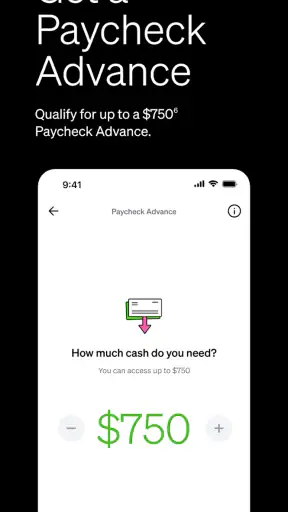
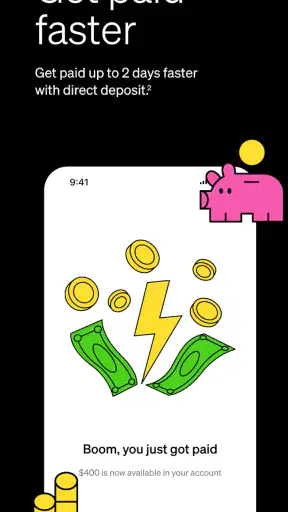
If you are interested in early pay, begin by understanding the timing of your normal income rather than planning a bill around money you have not yet seen. Early access can improve flexibility, but it should not encourage you to spend the same paycheck twice. I would use it, if available for your circumstances, as a way to smooth a short gap—not as permission to increase recurring expenses.
The same cautious approach applies to credit-building features. Before depending on them, learn exactly what action the app expects from you and how that action fits your budget. A feature intended to help credit habits is only helpful when the money behind it is already available. If using it makes your balance harder to follow, the traditional approach of paying bills from a familiar account may be safer and clearer.
After the first transaction, turn the experience into a routine. Check the app at a predictable time, such as after payday or before a weekly shopping trip. Review what has cleared, identify anything unfamiliar, and compare the balance with your own notes. This is one of the less obvious strengths of a mobile account: it can shorten the distance between spending and awareness, but only if you open it regularly.
Where first-time users can get confused
The biggest source of confusion is the difference between a displayed balance and money that is genuinely available for every purpose. Transactions can have different states, and an amount that appears in one place may not represent the final position after pending activity is settled. I would avoid making a close-to-the-limit purchase until you understand how Current labels these stages in your account.
Early pay is another area where wording can create unrealistic expectations. “Paid early” does not mean every deposit arrives instantly or that any employer payment can be advanced on demand. Your eligibility, the way income is deposited, and the timing of payroll information all matter. The sensible workflow is to observe one normal pay cycle first, record when money usually arrives, and only then decide whether early access is dependable enough for your bills.
Credit-building language deserves the same careful reading. Building credit is gradual, and an app cannot make poor repayment habits harmless. If you already have several credit commitments, add the Current feature only after writing down the due dates and amounts you must cover. The app can support a plan, but it should not become another layer of financial activity that you cannot explain.
Transfers can also feel less immediate than expected. When moving money between services, check the destination and timing before confirming. For a time-sensitive payment, I would not wait until the final evening to discover that a transfer needs additional processing. Keeping a small cushion in the account used for essential bills is a more dependable strategy than assuming every movement will be instant.
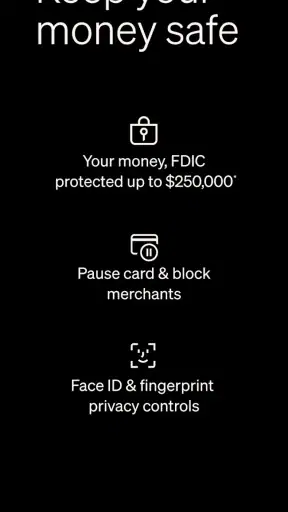
Finally, support and security deserve attention before there is a problem. Save the official support route inside the app and use only trusted devices and networks when managing the account. If your phone is lost, act quickly to secure access. Do not share verification codes with someone who contacts you unexpectedly, even if that person claims to represent Current. These are basic precautions, but they matter more in a banking app than in a casual finance tracker.
How it compares with familiar alternatives
Compared with a conventional bank’s mobile app, Current feels more focused on quick, phone-based access and modern income timing. A traditional bank may be the better choice for a broad relationship that includes loans, specialist help, cash services, or a long record of account history. If you regularly need those things, replacing your bank entirely may create more inconvenience than value.
Compared with a prepaid card product, the appeal is the combination of banking functions with early-pay and credit-oriented features. However, users should still examine the practical terms of any service before treating it as their only account. The right comparison is not just which interface looks cleaner; it is which option gives you the clearest control over deposits, spending, transfers, and support.
Compared with a budgeting app, Current is closer to the money itself. That can make daily decisions faster, but it may not offer the same depth of forecasting or category analysis that a dedicated planner provides. My preferred combination for a careful user would be Current for routine account activity and a separate, simple budget method for monthly planning—provided maintaining both does not create duplicate or conflicting records.
There is also a behavioral trade-off. A fast mobile interface can make checking your balance effortless, but it can make spending feel effortless too. I would turn the convenience into a control by checking before a purchase, not only afterward. If you tend to spend more when money is immediately visible and accessible, a less frictionless account may actually suit you better.
The next step after the first week
After several days of ordinary use, review whether the app has solved a specific problem. Did it make payday easier to manage? Did you gain a clearer view of spending? Did the account help you separate a budgeted amount from the rest of your money? If the answer is yes, keep the role narrow and repeatable. A focused account is easier to maintain than one that is expected to handle every financial goal at once.
If you plan to make it your main account, test the important scenarios before switching fully: receiving income, moving money out, checking a transaction, handling a disputed item, and finding support. You should be able to complete each task without guessing. I would also wait until you have seen how the account behaves around your normal pay and bill schedule before redirecting automatic payments.
The app is free, which lowers the barrier to trying it, but “free” should not replace careful reading of the terms attached to the features you use. Early access, credit tools, transfers, and other banking services can have their own conditions. The responsible next step is to understand those conditions inside the app and choose only the features that match your actual needs.
Current is a sensible option for a first-time mobile banking user who wants a compact way to manage everyday money and explore earlier access to pay or credit-supporting habits. I like its clear purpose and the possibility of making routine money checks less cumbersome. I would not recommend relying on it blindly, using early pay to cover an unsustainable budget, or expecting it to replace a full-service bank and a detailed financial plan.
My final advice is to start with one small, measurable job: receive or move a manageable amount, confirm the transaction, and build a checking habit around it. If that process feels clear and useful, expand gradually. If you need branches, complex financial products, extensive household budgeting, or highly predictable access to every kind of service, a traditional bank or a specialized budgeting tool may be a better fit. For the right user, though, Current makes the first step toward phone-based money management feel approachable without pretending that convenience removes the need for judgment.


